Apply
There are a range of applications and permits that you can apply for online. Check what you'll need for each application first, by navigating to our information pages:
Planning and Building applications
You can find the full, comprehensive list of development-related applications (DA's, Construction Certificates etc) and relevant information here.
Most Planning and Building applications will be need to be submitted directly via the NSW Planning Portal, but our information pages via the link above will direct you.
Business permits and applications
Search for the full list of business-related permits and relevant instructions here.
Ready to apply?
Registering on our Customer Portal is quick and easy. Registered users can access all our online services. You can easily make and track all your requests, payments and applications and keep your personal details up to date.
Please note: To enhance the security of Council's online services, Multi-Factor Authentication (MFA) is now required when signing in to Council's online portal.
MFA adds an extra layer of security by asking you to verify your identity using either an email verification code or the Microsoft Authenticator app. You can find out more in the tabs below.
Login or Register here
Multi Factor Authentication (MFA) Guide
To help keep your information secure, Multi-Factor Authentication (MFA) is now required when logging in to Council's portal. You must complete MFA verification before you can lodge or submit a certificate or application.
MFA Prompt
After signing in, you will be prompted to verify your identity using Multi-Factor Authentication (MFA):
By default, Email Code will be selected.
If you would prefer to use the Microsoft Authenticator App, select the arrow in the box (highlighted in red above) and choose it from the list.
Click OK to proceed.
Email Code – Default
A verification code will be sent to your email address.
1. Open the email and locate the verification code:

2. Enter the code into the MFA prompt:
3. Click OK to continue.
Prefer to use the Microsoft Authenticator app?
Follow Microsoft's step-by-step guide to set up the app and add your accounts:
Set up Microsoft Authenticator
A quick-guide to registering
If you have an account, simply enter your login details.
If you're a new user hit the ‘don’t have an account' option to start your registration.
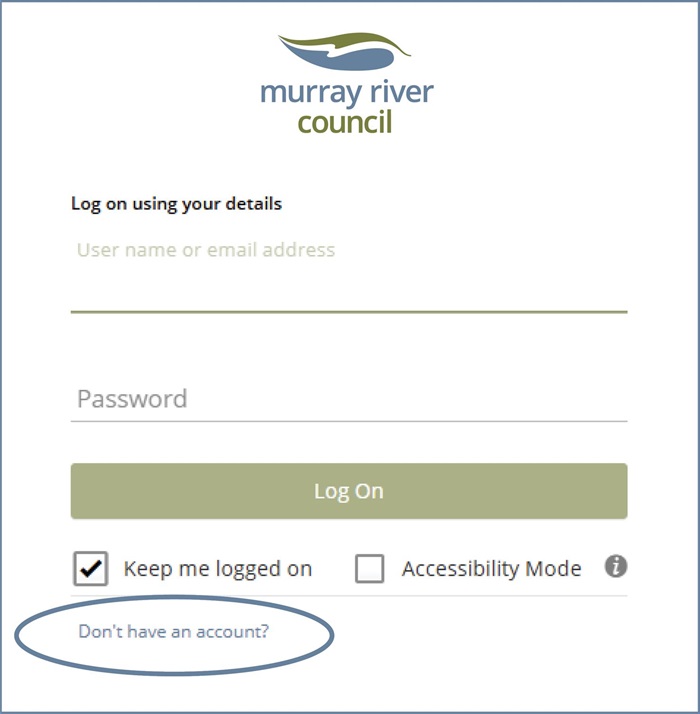
1. You should then select the 'register using email' prompt.
2. Complete the form to register your details.
Tip: your address doesn't have to be an MRC property, it's just your general address or postal details.
3. Link to your MRC property if applicable
To link your account to your MRC property, include your ‘Property Number’ which can be found on your Rate Notices.
4. Submit!
Once you hit submit- you’ll get a verification email. Please ensure you verify the account…then you’re all set to use the customer portal.
Having trouble with the Customer Portal? View our FAQ's.
Why is my application showing as "Pending"?
Online payments are reviewed and processed by our Finance Team on the next business day. Because of this, it may take up to 24 hours for your application status to update after payment has been made.
How can I confirm my payment was successful?
You can check your payment by:
- Looking for the payment confirmation message or receipt provided after completing your online payment.
- Checking with your bank to confirm the payment has been deducted from your account.
- Or by contacting our Customer Service Team during business hours for assistance.
Why is my payment showing as "Failed"?
If your payment is showing as "Failed" or “Declined”, please do not attempt to make the payment again.
In some cases, there can be a delay before our bank receives and confirms the transaction details. This means the payment may temporarily display as "Failed" or “Declined” even though the transaction is still being processed.
We recommend waiting until the next business day and checking whether your application status has updated before taking any further action.
I need help with my application. Who can I contact?
If you have any questions about your application or payment, please contact our Customer Service Team during business hours.
Phone: 1300 087 004
Email:admin@murrayriver.nsw.gov.au